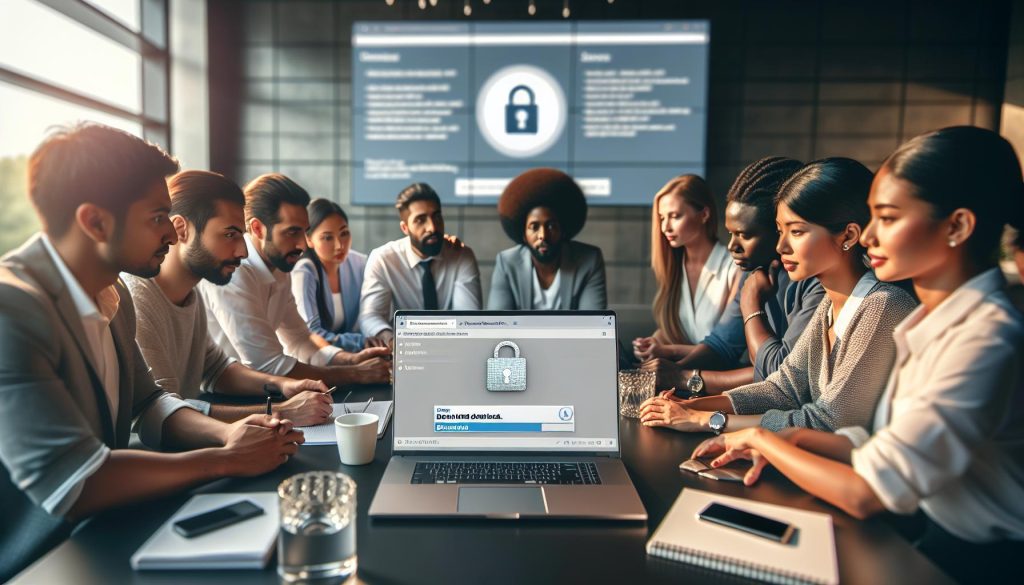
In today’s digital age, accessing online PDF documents has become a fundamental part of our daily routines, whether for academic research, professional development, or personal projects. However, with the convenience of online resources comes the risk of encountering unsafe files that could compromise your device or data. Understanding how to download these documents safely can save you time, protect your privacy, and enhance your overall online experience. By arming yourself with practical knowledge and strategies, you can confidently navigate the vast world of online PDFs while keeping your information secure. Join us as we explore essential tips and techniques that will empower you to download online PDF documents safely and efficiently, ensuring you can focus on what truly matters-getting the information you need without the stress.
Understanding the Risks of Downloading PDFs Online
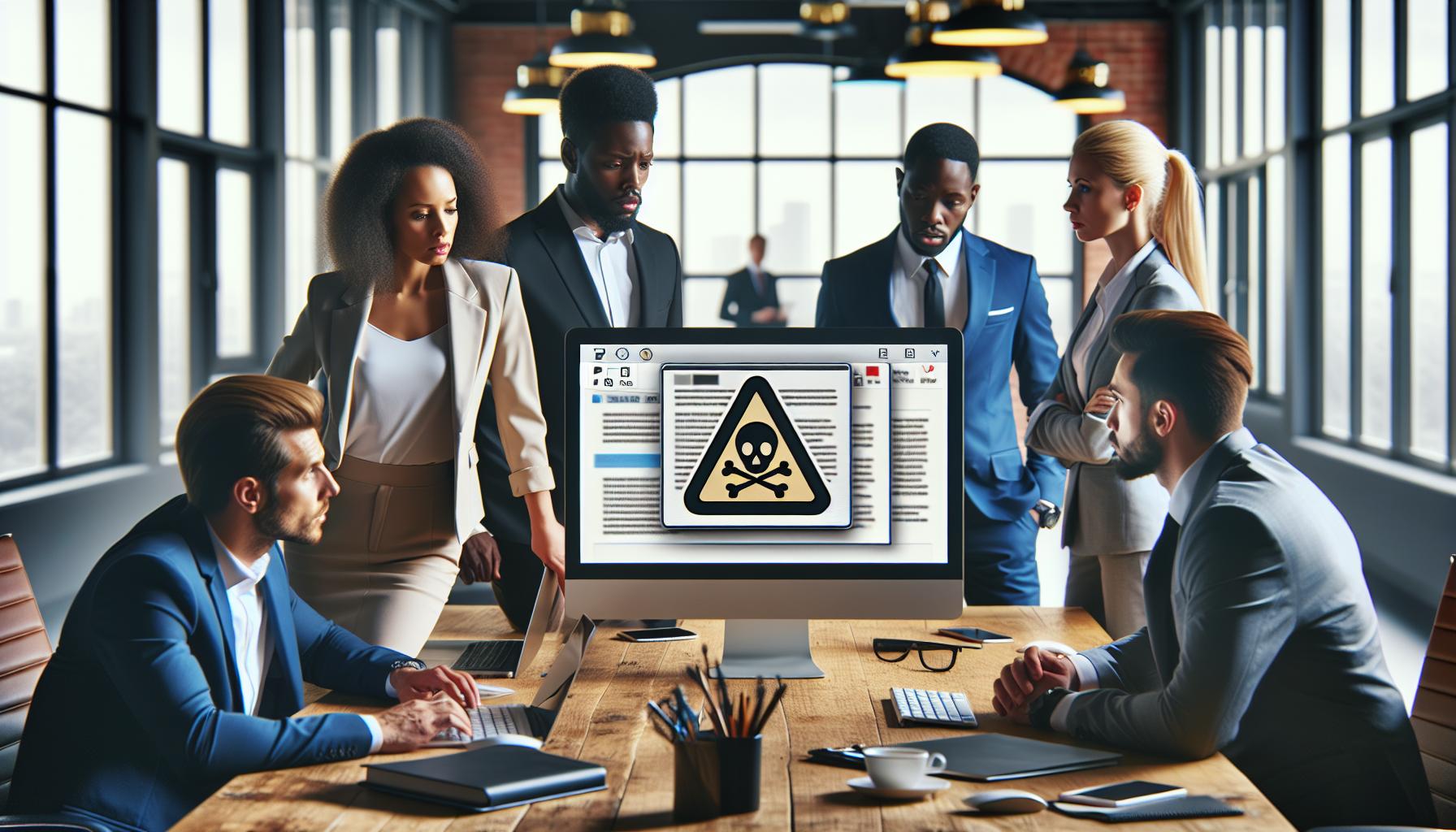
Downloading PDFs from the internet may appear straightforward, but it carries inherent risks that every user should understand. Cybercriminals often exploit PDF files as a vehicle for distributing malware or phishing attempts. They can embed malicious scripts that activate once the document is downloaded or opened, potentially compromising your device’s security. According to a report from cybersecurity experts, PDF files are among the top five file types used in online attacks. This underscores the need for vigilance when downloading even seemingly innocuous documents.
To minimize these risks, consider the source of the PDF. Always be cautious with downloads from untrusted websites or unknown emails. Malicious actors often create convincing fake documents that mimic legitimate sources, such as government agencies or well-known companies. If a download link appears on unfamiliar or dubious websites, it’s worth validating its authenticity before proceeding.
Furthermore, you should be aware of the types of information that might be collected through these files. Some PDFs can contain tracking scripts that monitor your online behavior once opened. Always ensure your device’s security software is updated and scanning downloads automatically. If ever in doubt, use a cloud-based PDF viewer that allows you to view the document without downloading it directly to your device. This adds an extra layer of safety by keeping your computer free from potentially harmful files.
With increasing sophistication in cyber threats, remaining informed about the potential risks and implementing proactive measures can significantly enhance your safety while downloading PDFs. By practicing caution and using secure methods for digital downloads, you can enjoy the benefits of this widely used format without compromising your personal or device security.
Safe Sources for Downloading PDF Documents
Choosing the right sources when downloading PDF documents is crucial for maintaining the security of your device and personal information. With a vast array of websites offering free resources, it’s easy to overlook the potential dangers lurking behind seemingly harmless links. Research indicates that over 20% of internet users encounter malicious PDF files regularly, making it imperative to source documents from reputable platforms.
Trusted Websites and Platforms
When seeking PDF documents, prioritize downloading from well-established and trusted websites. These include:
- Government Websites: Always a reliable source for official documents like tax forms, licenses, and permits. Endings in .gov are a good indicator of authenticity.
- Educational Institutions: University and college websites often provide PDFs for academic papers, course material, and research that are safe to download.
- Reputable Organizations: Well-known companies, nonprofits, and other associations usually have secure PDF libraries that you can access without concerns about malware.
- Digital Libraries: Websites like Project Gutenberg or the Internet Archive offer a plethora of free eBooks and documents in PDF format, ensuring authenticity and safety.
Verifying URLs and Online Sources
Before hitting download, take a moment to verify the URL and the website’s credibility. Look for:
- Secure Connections: Ensure the URL begins with “https://” rather than just “http://,” indicating a secure connection.
- User Reviews: Check for feedback or reviews about the website. If other users have had negative experiences, it’s best to avoid that source.
- Contact Information: Legitimate websites typically provide clear contact information and customer support options.
In the digital age, making informed decisions about where and how you download PDFs can shield you from harmful content. By focusing on reputable sources and applying best practices in verifying web addresses, you can confidently explore and obtain the necessary documents without undue risk. It’s all about empowering yourself to utilize digital resources safely-stay vigilant, and your downloading experience can be both efficient and secure!
Essential Tools for Secure PDF Downloads

Selecting the right tools for downloading PDF documents securely can make all the difference in safeguarding your personal information and device from potential threats. With cybercriminals continually finding new methods to infiltrate systems, it’s essential to equip yourself with the best resources available. Some widely recommended tools not only enhance security but also streamline your PDF experience, ensuring that your downloads are safe and efficient.
A reputable antivirus software is the first line of defense. Programs like Norton, McAfee, or Bitdefender not only scan for viruses but also help identify potentially malicious files before they’re downloaded. Many of these applications offer real-time protection, alerting you to any suspicious activity and providing peace of mind as you navigate the web for PDF documents. Furthermore, consider utilizing a robust PDF reader that provides built-in security features, such as Adobe Acrobat Reader. This trusted program allows users to view and annotate documents securely, ensuring that you aren’t exposed to malware hidden within less secure applications.
Utilizing a Virtual Private Network (VPN) is another smart choice for those looking to enhance their online safety while downloading PDFs. A VPN encrypts your internet connection, making it much harder for third parties to intercept your data. This is especially vital when accessing public Wi-Fi networks, which are often hotbeds for cyber threats. With a VPN, your downloads remain private, and your personal details are protected from potential snoopers.
Finally, consider using a trusted PDF converter or editor for additional security. Tools like PDFescape or Smallpdf offer safe environments for editing PDFs without exposing your data to risky downloads. These platforms allow you to convert documents to and from PDF while ensuring your files remain free from malicious code. By selecting the right combination of antivirus software, secure PDF readers, VPNs, and trusted editing tools, you can significantly reduce the risks associated with downloading PDFs from the internet. Remember, taking these proactive steps not only protects your device but also empowers you to confidently access the information you need.
Step-by-Step Guide to Safe PDF Downloading
In today’s digital landscape, where information is just a click away, knowing how to download PDFs safely is crucial. Cyber threats can lurk in seemingly innocuous documents, making it vital to take a few straightforward steps to protect yourself and your device from potential harm. By following a structured approach to downloading PDFs, you can mitigate risks and have a smoother document management experience.
Start by ensuring you’re using a trusted source. When searching for the PDFs you need, stick to reputable websites or official sources. Avoid sites that seem unprofessional or those with many pop-up ads, as these can often disguise malicious content. Once you’ve identified a safe source, verify that your browser is equipped with an up-to-date antivirus extension. This added layer can help catch any suspicious files before they infiltrate your system.
Next, always preview PDFs before downloading them. Many platforms allow you to view documents online, which can help you assess their legitimacy without downloading them directly. If you decide to proceed with the download, save the PDF to a specific folder rather than your desktop or downloads folder to organize your files better. This practice allows for better monitoring of downloaded items and makes it easier to run a quick virus scan on new files.
After downloading, right-click on the file to perform a virus scan using your antivirus software. This step is critical, as it ensures that any potential malware is detected before you open the document. If everything checks out, you can then open the PDF using a secure reader, such as Adobe Acrobat Reader, which provides built-in security features to further protect your system.
By adhering to these careful steps-verifying sources, using antivirus software, scanning downloaded files, and employing secure PDF readers-you can enjoy all the advantages of PDFs while keeping your personal information and devices safe. Remember, diligence and a little forethought go a long way in navigating the digital world securely.
How to Verify the Safety of PDF Files

In a world where PDFs are an everyday tool for sharing information, verifying their safety is paramount. With cyber threats lurking in many forms, understanding how to confirm the safety of PDF files before opening them can protect your device and personal information from potential harm. One effective method to ensure a PDF’s safety involves a multi-step approach, enabling you to make informed decisions about downloads.
Start by examining the source of the PDF. Reliable websites typically include educational institutions, government portals, or well-established organizations. If a web page contains excessive ads or looks unprofessional, be cautious. Additionally, look for HTTPS in the URL: a secure connection is a good indicator that the site takes user security seriously.
Once you’ve found a PDF you wish to download, consider using online services that offer file scanning before you download. Websites such as VirusTotal allow you to upload the PDF and scan it with multiple antivirus engines before proceeding. This can give you peace of mind before opening any potentially risky file. Another great practice is to check for any reviews or comments on the document if it’s hosted on a sharing platform. This community feedback can be invaluable in identifying malicious files.
Utilizing Antivirus Software
After downloading, always use your antivirus software to scan the file. Right-click on the PDF and select the scanning option provided by your antivirus program. Make sure your antivirus is regularly updated to catch the latest threats. If your software flags the file as potentially harmful, do not open it. You can also employ PDF readers with built-in security features, such as Adobe Acrobat Reader, which highlight security concerns and allow you to view PDFs in a safe environment.
In summary, the safety of PDF files is not just about the documents themselves but involves the context and methods of how they are accessed and managed. By verifying sources, using online scanners, utilizing antivirus software, and relying on secure readers, you will significantly lower the risks associated with downloading PDF files. Remember, a cautious approach can save you from the headache of malware and data theft.
Best Practices for Protecting Your Device from Malware
In an age where cyber threats are continuously evolving, safeguarding your device against malware while downloading PDF files is essential. The simplest yet most effective measure is to maintain updated antivirus software. Ensure that your antivirus is set to update automatically to incorporate the latest virus definitions. This will allow it to recognize and neutralize new threats as they emerge. After downloading any PDF, right-click on the file and select the scan option; this provides an additional layer of protection before opening.
Utilizing reliable PDF readers can also significantly enhance your safety. Programs like Adobe Acrobat Reader not only allow for secure viewing but also come equipped with built-in security features that alert you to potential risks associated with a document. Take advantage of settings that prevent the execution of scripts and the opening of embedded files that can pose a malware risk. Opt for a reader that provides regular security updates as part of its features.
When encountering files from untrusted sources, it’s wise to exercise extreme caution. Consider using virtual environments or sandboxes for opening suspicious PDFs. Such setups allow you to interact with potentially harmful files without risking your primary operating system. If you notice anything unusual-like unexpected prompts or strange behaviors while opening a PDF-this could indicate that the file is harmful. Consequently, close the document and delete it immediately to avoid compromising your device.
Practicing good habits can also go a long way in protecting your device. Before downloading, always verify the source of the PDF. Stick to reputable websites, which often include government and educational institutions, and steer clear of sites that appear unprofessional or cluttered with ads. Remember to implement strong password protection on your device, as this can deter unauthorized access even if malware does manage to infiltrate. Overall, combining proactive software measures with cautious online behavior can effectively shield your device from the dangers lurking within downloaded PDF files.
Using VPNs for Secure PDF Access
Navigating the digital world can feel like crossing a minefield, especially when it comes to downloading PDF documents. One powerful tool in your arsenal for secure downloading is a Virtual Private Network (VPN). Using a VPN not only enhances your online privacy but also significantly reduces the risks associated with accessing potentially harmful content. With a VPN, your internet connection is encrypted, providing an additional layer of security against data breaches, hacking attempts, and eavesdropping. This makes it much safer to download PDFs, particularly from unfamiliar sources.
When using a VPN, your real IP address is masked, allowing you to browse the web anonymously. This anonymity is particularly crucial when accessing public Wi-Fi networks, where hackers often lurk, waiting for unsuspecting users to connect. For example, if you’re in a café downloading an important PDF report while connected to public Wi-Fi, a VPN can ensure that your connection is encrypted, making it difficult for cybercriminals to intercept your data. By choosing a reputable VPN service, you can rest assured that your online activities remain confidential, providing peace of mind when accessing sensitive documents.
However, not all VPNs are created equal. It’s essential to select a service that has a proven track record of security and privacy standards. Look for VPNs that do not keep logs of your online activities, have strong encryption protocols, and offer a kill switch feature-a tool that disconnects your internet if the VPN service drops, ensuring your data remains protected. Additionally, many VPNs are compatible with devices like smartphones, tablets, and computers, making it easy to secure all your devices while you download PDFs.
In conclusion, utilizing a VPN as part of your PDF downloading routine can significantly enhance your security. Remember to always connect to the VPN before accessing online documents, especially when using public or unsecured networks. This proactive measure will help safeguard your personal information and make the process of downloading PDFs more secure and worry-free.
Safeguarding Personal Information While Downloading PDFs
Downloading PDF documents can be a common yet risky endeavor, especially when it involves sharing personal information online. Did you know that an estimated 50% of all phishing attacks utilize malicious PDF files? This statistic underlines the importance of protecting your personal information while navigating the digital environment. Here are some actionable strategies to ensure your data remains safe during this process.
One of the most effective ways to protect your personal information is to avoid entering sensitive data on unsecured websites. Look for sites that utilize HTTPS, which encrypts data during transmission. Always be wary of prompts asking for personal identifiers, such as your social security number or credit card information, especially when downloading PDFs from lesser-known sources. Instead, stick to reputable platforms that are well-established and have positive reviews from users.
Additionally, consider using a dedicated PDF reader application with security features. Applications like Adobe Acrobat Reader not only allow you to view and interact with PDFs but also offer functionalities for detecting potential threats, such as malware or unnecessary script execution within documents. Make use of these tools to scan PDFs before opening them.
Incorporate a consistent habit of regularly updating your software. This includes your operating system, antivirus programs, and PDF readers. Updates often provide patches for security vulnerabilities that might be exploited by cybercriminals. By keeping your system current, you’re fortifying your defenses against the latest threats.
Lastly, if you encounter a PDF that seems suspicious, utilize tools like malware scanners or PDF inspection utilities to check for any embedded malware or links that could lead to phishing sites. For instance, websites like VirusTotal allow you to upload files and analyze them for potential threats, ensuring that what you’re downloading is safe for your device.
Ensuring the security of your personal information while downloading PDFs is about being vigilant and taking proactive measures. By following these steps, you can significantly decrease your risk of exposure to online threats while successfully managing your PDF needs.
Troubleshooting Common PDF Download Issues
When attempting to download PDFs online, encountering technical issues can be frustrating and disheartening. Common problems can range from slow download speeds and incompatible file formats to browser errors or failed downloads altogether. Addressing these issues quickly can help you regain access to important documents without unnecessary stress.
One frequent problem users face is a PDF not downloading at all. This could be a result of browser settings or a weak internet connection. First, check your internet stability-try loading a different website to see if it’s a connectivity issue. If your connection is fine, consider clearing your browser’s cache and cookies. Navigate to your browser settings and locate the option to clear browsing data, selecting cache and cookies for removal. This can free up any data conflicts that might prevent a download.
Another common hurdle involves getting an error message or the PDF opening incorrectly. If a PDF isn’t displaying as expected, it may be due to the browser’s built-in PDF viewer. You might want to try downloading the file instead of opening it directly in the browser. Right-click on the download link and choose “Save link as” to save the PDF to your device. After downloading, open it in a dedicated PDF reader like Adobe Acrobat Reader, which is more robust for handling various PDF versions and interactive elements.
If you still experience issues, such as a downloaded PDF being corrupted or empty, consider using a reliable PDF converter tool to transform the file into another format and back again. Services like Smallpdf offer online conversion options that ensure your PDF is in a usable format, potentially rectifying issues that arise from file corruptions during download.
Additionally, if your device is consistently unable to download PDFs from certain sites, check for security settings or antivirus software that may be limiting downloads. These programs often flag certain downloads as risky, leading to blocks. Review your security settings to whitelist trusted sites where you frequently download PDFs. By following these simple troubleshooting steps, you can empower yourself to resolve common download issues and ensure uninterrupted access to your important documents.
Alternative Formats: When to Consider PDF Converters
Downloading PDFs can sometimes present challenges, especially when dealing with files that may not display correctly or are incompatible with certain devices. In such cases, considering conversion to alternative formats can save you time and hassle. Converting a PDF file enables easier access and manipulation, which can be particularly beneficial for users who need to edit content, extract data, or integrate it into other workflows.
One clear scenario where PDF converters shine is when you encounter a PDF that is overly complex, such as those containing interactive forms or embedded multimedia. Often, converting a PDF to a more widely accepted format like Word or Excel can simplify the editing process. For instance, a business report downloaded as a PDF may need adjustments; converting it to Word allows you to edit the text and format it as desired. Tools like Smallpdf provide user-friendly solutions for such transitions, allowing users to drag and drop files effortlessly for conversion while maintaining the integrity of the original data.
Additionally, you may face issues with large files that are cumbersome to share or slow to open. In this case, converting your PDF to a compressed format can be advantageous. Formats like JPG or PNG allow for individual pages to be shared easily without losing quality and can be more suitable for presentations or inclusion in other documents. With many PDF converters supporting a variety of formats, it’s essential to choose the right one based on your needs to prevent data loss or formatting errors.
When opting for a PDF converter, ensure you choose reputable tools to protect your data, especially when sensitive information is involved. Checking user reviews and understanding the terms of service can help you navigate security risks. By utilizing these tools, you not only enhance your ability to manage PDF documents but also streamline your workflow, making the overall downloading and editing process much more efficient.
Tips for Managing and Organizing Downloaded PDFs
Managing and organizing downloaded PDF documents is essential for keeping your digital workspace tidy and improving your productivity. With numerous files accumulating on your device, a structured approach helps you quickly locate and utilize important documents when needed. Start by creating a dedicated folder system within your file explorer; categorize documents into relevant subfolders such as “Finance,” “Contracts,” “Reports,” and “Personal.” This method not only helps in easy retrieval but also prevents clutter, making it less daunting to navigate through files.
To ensure you never lose track of timelines, consider adding a dates or status column in a simple spreadsheet where you can log key details about each PDF. This could include the date downloaded, the origin of the document, and any actions required (like signatures or reviews). By keeping a checklist or a log, you can prioritize your tasks and follow up on documents that may need your attention soon.
When working with PDFs, tools such as PDF readers and converters can significantly boost your productivity. Programs like Adobe Acrobat allow you to annotate and comment directly on the document, enabling collaborative work without needing to send multiple copies back and forth. Moreover, if you need to share files, convert your PDFs to more accessible formats like Word or Excel when necessary, using reliable online services that maintain quality while simplifying editing.
Finally, make a habit of backing up your PDF documents regularly, either to a cloud service or an external hard drive. This practice ensures that your important files remain safe from accidental deletion or device failure. By establishing these organizational habits, you’ll simplify your workflow, reduce stress, and empower yourself to manage your documents with confidence and ease.
Staying Updated on PDF Security Trends
Staying informed about PDF security trends is crucial for anyone who frequently downloads and shares PDF documents. With the increasing sophistication of cyber threats, understanding the latest security measures can help protect your sensitive information and ensure a safer digital experience. For instance, did you know that more than 50% of malware attacks are delivered through PDF files? This alarming statistic highlights the need for vigilance and proactive measures.
One of the most significant trends in PDF security is the rise of encrypted PDF documents. Encryption adds a layer of security by requiring a password to access the file, making it more difficult for unauthorized users to view or edit the content. Consider using tools like Adobe Acrobat or Foxit PDF Reader, which offer options to encrypt your files easily. Additionally, be on the lookout for advanced malware protection features in your PDF reader software, which can help detect and block files that may contain harmful code before you open them.
It’s also important to stay updated on phishing schemes that often exploit PDF documents. Scammers may use PDFs to lure victims into revealing personal information or downloading additional malware. Therefore, ensure that your security software is up to date and capable of scanning attachments for potential threats. Furthermore, always verify the source of a PDF file before downloading it. If you come across a document from an unknown sender, it’s better to err on the side of caution and avoid downloading it.
Lastly, consider participating in online forums or following cybersecurity blogs, as they can provide valuable insights into new threats and best practices. Regularly updating your awareness around these security trends can empower you to make informed decisions while using PDFs. By implementing these measures, you can enjoy a safer experience when downloading and managing your PDF documents.
Q&A
Q: What are the best practices for downloading PDF documents safely?
A: To download PDF documents safely, always use reputable websites, utilize antivirus software, and check for HTTPS in the URL for secure connections. Ensure your device’s software is updated regularly and consider using PDF-specific malware scanners. For more details, refer to our section on “Best Practices for Protecting Your Device from Malware.”
Q: How can I tell if a PDF file is safe before downloading?
A: To assess a PDF’s safety, examine the source website for trustworthiness and look for user reviews. Additionally, use online virus scanning tools to check the file’s security before downloading. You can also learn more in our guide on “How to Verify the Safety of PDF Files.”
Q: What should I do if my PDF download is blocked by my browser?
A: If your browser blocks a PDF download, check your browser’s security settings and adjust them to allow downloads from trusted sources. Additionally, you can try using a different browser or temporarily disabling your antivirus software (with caution). See our section on “Troubleshooting Common PDF Download Issues” for more solutions.
Q: Are there specific tools for securely downloading PDFs?
A: Yes, tools like VPNs, secure browsers, and dedicated PDF readers often provide enhanced security features during downloads. Some PDF readers also include built-in virus scanning. For a detailed overview, check out our “Essential Tools for Secure PDF Downloads.”
Q: Why should I be worried about malware in PDF files?
A: PDF files can contain harmful scripts or macros that may install malware on your computer. Being cautious about where you download PDFs can prevent potential data theft and system damage. We discuss this further in “Understanding the Risks of Downloading PDFs Online.”
Q: What are the signs of a malicious PDF file?
A: Signs of a malicious PDF include unusual file sizes, unexpected prompts to enable macros, or requests for personal information. Always be skeptical of unsolicited downloads and unfamiliar sources. For more insights, see our section on “How to Verify the Safety of PDF Files.”
Q: Can using a VPN help with safer PDF downloads?
A: Yes, using a VPN encrypts your internet connection, making it harder for hackers to intercept your downloads and data. This adds an additional layer of security when downloading PDFs from less secure networks. For extensive tips, refer to “Using VPNs for Secure PDF Access.”
Q: What steps can I take if I accidentally download a harmful PDF?
A: If you’ve downloaded a harmful PDF, immediately disconnect from the internet and run a full antivirus scan. Change any passwords that may be compromised and consider restoring your system from a backup if needed. More preventive measures are discussed in “Best Practices for Protecting Your Device from Malware.”
The Conclusion
Now that you’ve learned how to download online PDF documents safely, take action to protect your information every time you go online. Remember, securing your downloads not only keeps your data safe but also enhances your browsing experience. If you found this guide helpful, explore our related articles on “5 Essential Tips for Online Security” and “Understanding PDF File Formats” to deepen your knowledge.
Don’t hesitate to take the next step! Subscribe to our newsletter for the latest updates and tools that enhance your digital safety. Also, share this article with friends who might benefit from guidance on safe PDF downloads! Your engagement helps us grow and provide even more valuable resources. Stay informed and stay safe!